Last updated: October 2026 · Written by the Zoryflix team · for Fire TV owners in the United States.
The short answer
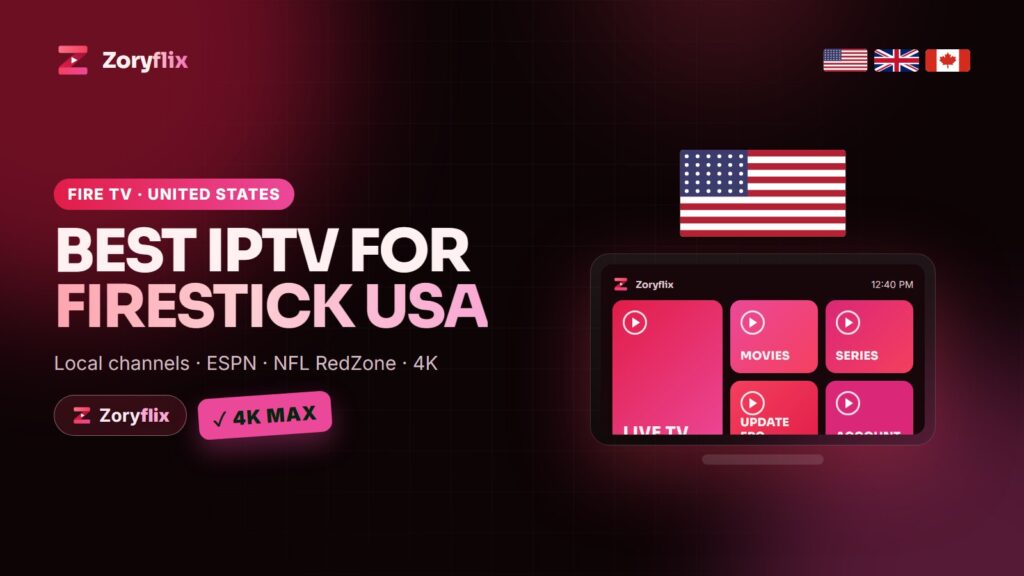
The best IPTV for a Firestick in the USA is a service with your local ABC, CBS, FOX and NBC stations, ESPN and the league networks, a US time-zone TV guide and 4K streams that a Fire TV Stick 4K or 4K Max can decode without stutter. Pair it with a good player (IPTV Smarters Pro or TiviMate), a Fire OS stick rather than a Vega OS one, and at least 25 Mbps for Full HD. Zoryflix ticks every box: 75,000+ live channels with full US coverage, 260,000+ movies and series, a 24-hour free trial and plans from $15.
Why the Firestick is still the top IPTV device in America
The Amazon Fire TV Stick is the most common streaming device in US homes. It is cheap, it plugs into any HDMI port, it comes with a voice remote, and it runs every popular IPTV player. For a cord-cutter who wants to drop a cable box without buying a new TV, it is the obvious first step — as long as you choose the right model and the right service.
Which Fire TV model to buy for IPTV
Not every Fire TV device is equal for IPTV in 2026. The models that run Fire OS (Amazon’s Android-based system) let you install IPTV players with the Downloader app. Some of Amazon’s newest devices run Vega OS, a Linux-based system that only installs apps from the Amazon Appstore — check the system before you buy.
| Device | System | Good for IPTV? |
|---|---|---|
| Fire TV Stick 4K Max (2nd gen) | Fire OS | Best pick: fast, Wi-Fi 6E, 4K HDR |
| Fire TV Stick 4K (2nd gen) | Fire OS | Very good, 4K HDR |
| Fire TV Cube (3rd gen) | Fire OS | Excellent, has an Ethernet port |
| Fire TV Stick HD | Fire OS | Fine for HD on a smaller TV |
| Fire TV Stick 4K Select | Vega OS | Check first: no sideloaded apps |
If you already own an older stick, it will work, but the 4K Max or the Cube make a visible difference on sports channels with a lot of motion.
The US channels to check during your trial
- Local networks: ABC, CBS, FOX, NBC, PBS and The CW from your area or a nearby major market.
- Sports: ESPN, ESPN2, FS1, FS2, NFL Network, NFL RedZone, NBA TV, NHL Network, MLB Network, the SEC, ACC and Big Ten networks and the regional sports networks.
- News: CNN, Fox News, MSNBC, CNBC, Bloomberg and the local news channels.
- Entertainment: HBO, Showtime, Starz, AMC, FX, TNT, TBS, USA Network, Discovery, HGTV, Food Network, Nickelodeon and Disney Channel.
- Spanish-language: Univision, Telemundo, ESPN Deportes and TUDN for Hispanic households.
Zoryflix carries all of these, plus on-demand movies and series that update daily. The full list is on our channel list, and the sports side is covered in detail in Zoryflix sports channels.
The best IPTV app for Firestick
- IPTV Smarters Pro — free, simple, handles live TV, movies and series in one place. The easiest start.
- TiviMate — the best TV-guide layout on Fire TV, with favourites, catch-up and recording. The premium unlock is worth it for daily use.
- IBO Player and XCIPTV — good alternatives if you prefer a different layout.
All of them log in with the same three details Zoryflix sends you: username, password and server URL. Step-by-step login instructions are in our IPTV Smarters Pro setup guide, and the app comparison is in best IPTV app 2026.
Setting up Zoryflix on a Firestick in five steps
- Go to Settings → My Fire TV → Developer Options and allow apps from unknown sources (click “About” → device name seven times if the menu is hidden).
- Install Downloader from the Amazon Appstore and give it storage permission.
- Download your IPTV player with the link we send with your activation details.
- Open the player, choose Xtream Codes API and enter your Zoryflix username, password and server URL.
- Wait a minute for the TV guide and the VOD library to load on first launch.
The full illustrated walkthrough, with the two settings most people miss, is in how to install IPTV on Firestick in 2026.
Internet speed and the settings that stop buffering
Plan for 15 Mbps for HD, 25 Mbps for Full HD and 35 Mbps or more for 4K per screen. On a Firestick, Wi-Fi is usually the weak link, not the service:
- Use the Amazon Ethernet adapter, or the Cube’s built-in port, if the router is in the same room.
- On the 4K Max, connect to the 5 GHz or 6 GHz band of your router.
- Clear the player’s cache once a week and restart the stick from Settings → My Fire TV → Restart.
- Pick the FHD version of a channel when the 4K one stutters on a slow evening connection.
If a stream still freezes, our guide to IPTV buffering on Firestick covers eleven fixes in order of how often they work.
What IPTV on a Firestick costs with Zoryflix
One Firestick needs one device on the plan. The 1-month plan is $15, 3 months $35 and 6 months $55. If you have a second TV, the 1-year plan at $80 covers two Firesticks at the same time, and the lifetime plan at $150 covers five. Compare that with a US cable bill plus a sports add-on and the stick pays for itself in the first month. See the Zoryflix pricing page for every plan.
Try Zoryflix on your Firestick tonight
Ask for the 24-hour free trial on WhatsApp, install the player in five minutes, and test your local channels and a live game before you pay.
More Fire TV help
- How to install IPTV on Firestick — TrendyScreen’s step-by-step install, menu by menu.
- TiviMate vs IPTV Smarters Pro — Nexomir puts the two most popular Fire TV players head to head.
- IPTV buffering: 9 fixes that work — NorvikTV’s nine fixes for a stream that keeps stopping.
Frequently asked questions
What is the best IPTV service for Firestick in the USA?
Choose a service with your local networks, ESPN and the league channels, a US time-zone EPG, 4K streams and fast support. Zoryflix covers all of these with 75,000+ live channels and a 24-hour free trial, so you can check it on your own Firestick first.
Does IPTV work on every Fire TV Stick?
It works on every Fire TV device running Fire OS: the Fire TV Stick HD, 4K, 4K Max and the Fire TV Cube. Devices running Vega OS only install apps from the Amazon Appstore, so check the system before buying a new stick for IPTV.
Which app should I use for IPTV on Firestick?
IPTV Smarters Pro is the easiest start and is free. TiviMate has the best TV guide and recording features. Both log in with the Zoryflix username, password and server URL.
How fast does my internet need to be?
Around 15 Mbps for HD, 25 Mbps for Full HD and 35 Mbps or more for 4K, per screen. Ethernet or 5 GHz Wi-Fi makes the biggest difference on a Firestick.
Can I use one Zoryflix subscription on two Firesticks?
Yes, with the 1-year plan (2 devices at the same time) or the lifetime plan (5 devices). The 1, 3 and 6-month plans cover one device at a time.